
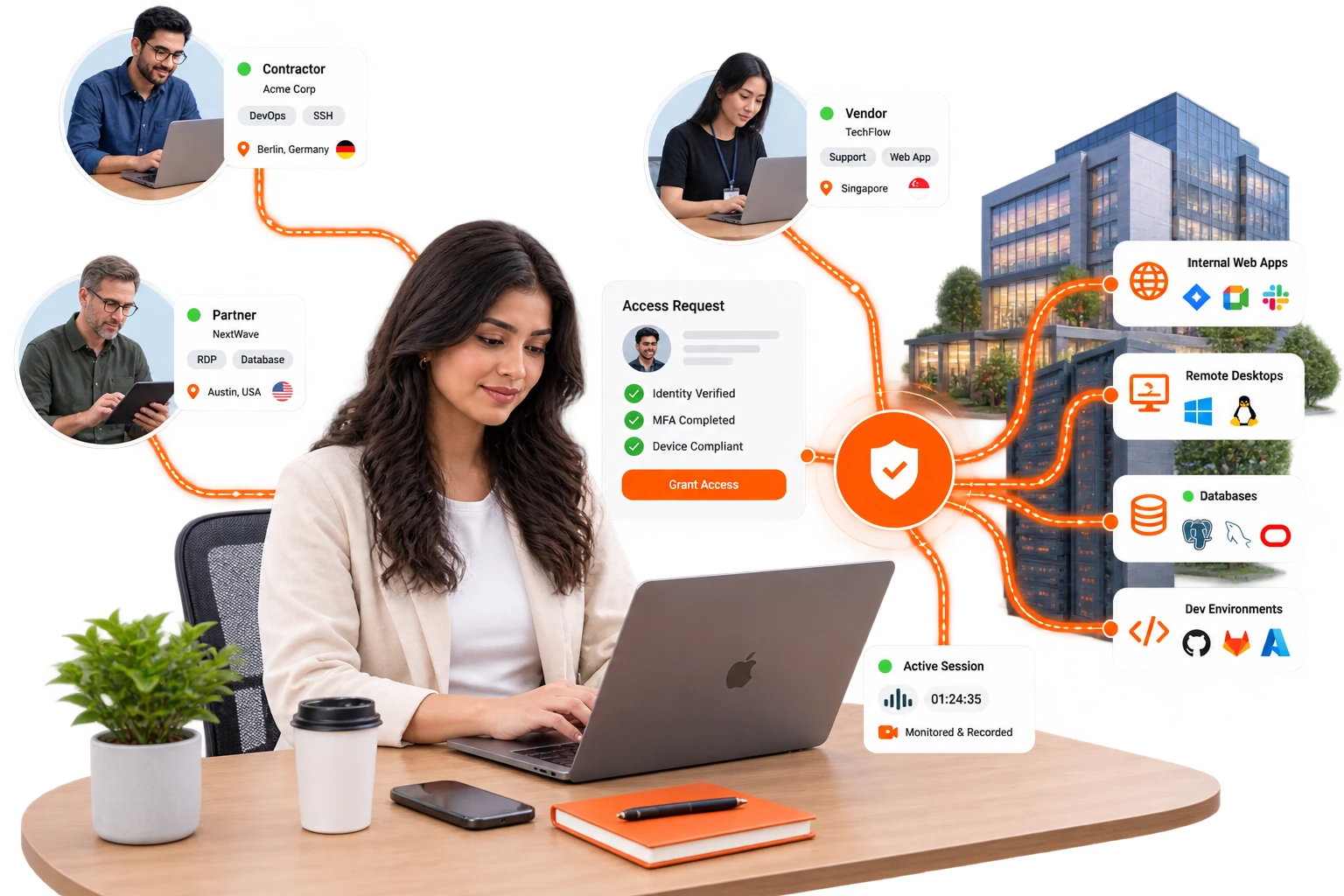
Give vendors a door, not the keys.
Browser-based access to exactly the apps in scope. Nothing installed on their devices. Every session recorded. One click ends it all.
The third-party problem
the plain answer
Third parties are structurally your riskiest users: you don't control their devices, you can't set their security standards, and you often can't even name every individual using the credentials you issued. The traditional answers are all bad. A VPN account is network access for strangers, shared credentials destroy attribution, screen-sharing tools carry no policy at all, and anything with enough friction to feel safe gets routed around by the business. What works instead is a scoped grant: the vendor gets an application, for a stated period, with MFA (multi-factor authentication) in front of it and a recording behind it.
$ disable user r.kulkarni@amc-partner.example
→ user disabled · 3 active sessions terminated
→ tiles revoked: SAP-PRD, RDP-BILLING-02
→ engagement window 12 Sep to 30 Sep cancelled
→ session recordings retained for audit
→ systems now reachable by this vendor: none
The InstaSafe pattern, start to end.
- SCOPEThe vendor sees tiles for in-scope systems only. Not your network. Not the adjacent applications. The SAP support vendor sees SAP.
- DELIVERClientless: their browser, their device, nothing installed, and no MDM negotiation with another company's IT.
- CONSTRAINTime-boxed windows for engagement dates and working hours, geo conditions where they are relevant, and watermarking, clipboard and download policy on by default for external users.
- RECORDPrivileged third-party sessions are recorded for replay. That is the literal answer to “what did they do on that server?”
- ENDContract over, one deprovisioning action. No orphaned VPN account discovered eight months later.
Give vendors a door, not the keys.
Named servers, named hours
RDP/SSH to named servers, recorded, weekday business hours, engagement-dated. The vendor sees tiles for in-scope systems only — not your network, not adjacent apps.

r.iyer · own laptop · time-boxed

 erp-frontendin scope
- scope
- 2 of 6 systems
- engagement
- 01–30 Sep
- hours
- 09:00–18:00 IST
- recording
- on
- clipboard
- off
 allow
allow
Evidence of the control is the control
Read-only web access to the finance system, watermarked, download-blocked, fully logged — evidence of the control IS the control.

m.sundaram · firm laptop · read-only

 general-ledgerin scope
- watermark
- on
- download
- blocked
- clipboard
- blocked
- blocked
 read-only
Production is not on the list
Git/Jira/staging via portal; production invisible; clipboard policy on the crown jewels. Clientless — their browser, their device, nothing installed.

j.fernandes · partner laptop · production not visible

 staging-apiin scope
- scope
- 4 of 6
- clipboard
- off
- session
- recorded
allow
The window closes on its own
Time-boxed tunnel to the one appliance under support ticket, opened per-incident. Expiry is a property of the grant, not a memory test for IT.

p.nair · site visit · window closes on its own

 plc-line-3in scope
expires in00:14:59
- window
- 2h · approved by alen.joseph
- recording
- on
allow
A pass that expireson its own
What a scoped, dated, recorded grant produces that a vendor VPN account never did.
Attribution by default
Named individuals, named sessions, replayable actions. Shared-credential ambiguity ends.
No orphaned access
Expiry is a property of the grant, so nobody in IT has to remember it.
Onboard in minutes
A new vendor is a user, a group and a set of tiles. No laptops shipped, no agent rollout.
third-party access, answered.
Tap a question. If yours is not here, a specialist can answer it.
Talk to a specialist//Ready when you are//
Give the next vendor a door.
Scoped tiles, an engagement-dated window, recorded sessions, and one action that ends all of it.
Regulated, air-gapped, or on-premise? See deployment options