Getting the Fastest Help from InstaSafe Support: How Our Escalation Process Works

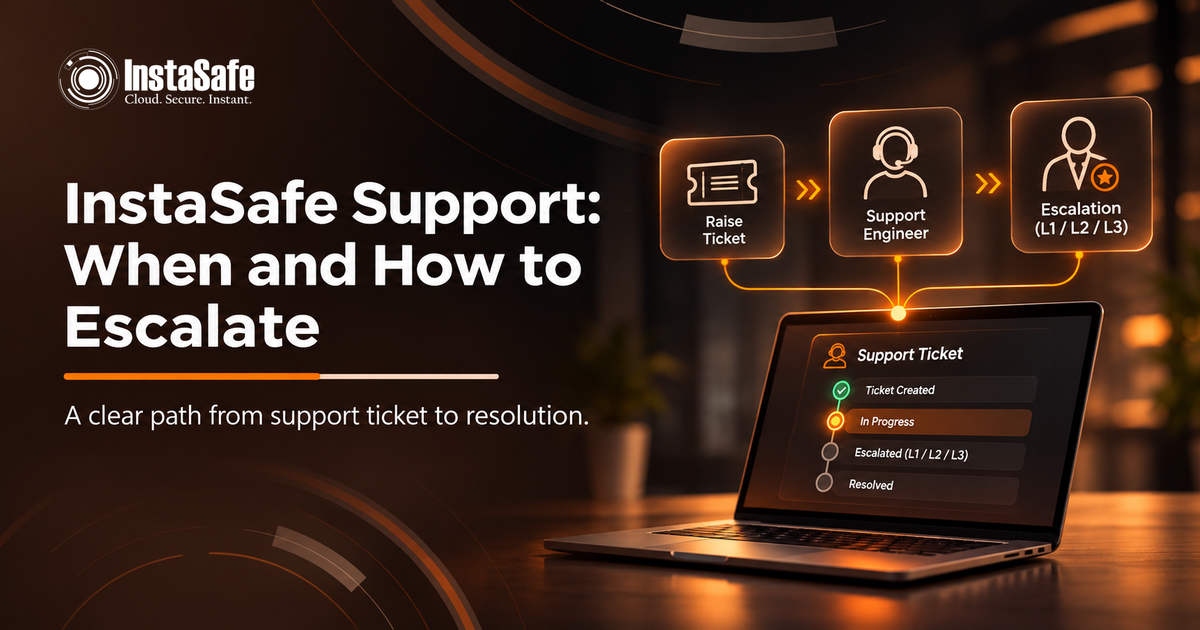
When something breaks in your access infrastructure, every minute counts. It's natural to want as many senior people on the email as possible. But copying the whole leadership chain on day one can actually slow your issue down.
Here's why. When escalation contacts are copied on every routine support email, their inboxes fill with conversations that are already being handled. The emails that really need their attention, the ones where something is stuck, become harder to spot.
This post explains how InstaSafe Support works, how our escalation levels are set up, and how to use them so your issue gets resolved as quickly as possible.
Step one: start with support@instasafe.com
Every issue, request or question should begin with a single email to support@instasafe.com, with no one else in Cc.
That email automatically creates a ticket. It is assigned to an engineer, tracked against response timelines and visible to our support leadership. In other words, the right people already have sight of your issue, without you needing to copy them.
What makes a great first email
The more context you share up front, the less back-and-forth you'll need. Include:
• Your name and a contact number
• The product or module affected
• What's happening, and when it started
• How many users are affected and what the business impact is
• Screenshots, error messages, logs or user IDs
• The severity you think applies (see the table below)
Once you receive a ticket number, quote it in every follow-up and reply on the same thread. Keeping everything in one place means anyone who picks up your ticket sees the full story.
The escalation ladder
If an issue isn't progressing as it should, our escalation path makes sure it gets senior attention. Each level steps in only after the one before it has had a fair chance to resolve it.
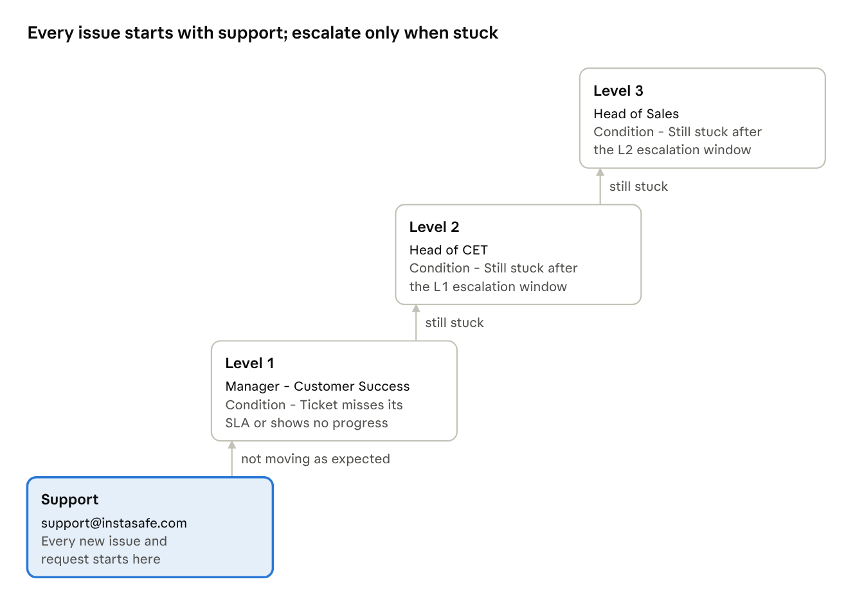
InstaSafe escalation ladder · 4 levels
Two things to keep in mind. Skipping levels doesn't speed things up, because a senior contact will route the issue back through support. And escalation never replaces your ticket: the ticket stays open as the working channel, and escalation adds management attention to it.
When to escalate, and when not to
The simple rule: escalate when things are not moving as expected, not from day one.
It's time to escalate when:
• Support hasn't responded within the response time for your ticket's severity
• Your ticket has gone quiet past the agreed update interval
• A committed fix or action date has passed without explanation
• An issue keeps coming back after being marked resolved
• The business impact has grown significantly since you raised the ticket
Hold off on escalating when:
• You're raising a brand-new issue
• Your ticket is still within its response or update timeline
• Support is waiting on information from your side
• It's a how-to question, configuration change or routine request
How to escalate the right way
A well-formed escalation gets attention immediately. Here's how:
1. Reply on your existing ticket thread rather than starting a new email.
2. Add only the next escalation level, and keep support@instasafe.com on the thread.
3. Start the subject line with ESCALATION – L1 (or L2, L3), then your ticket number and a short summary.
4. In three or four lines, explain what was expected, what hasn't happened, the current impact and what you need now.
5. Give that level its escalation window before moving up to the next.
Example subject: ESCALATION – L1 | Ticket #12345 | Gateway unreachable for 200 users
Example message:
Hello, escalating ticket #12345, raised on 18 Nov. We have had no update for 2 business days after sharing logs. About 200 users cannot reach internal apps. We need a status update and an action plan today.
Short, specific and on the original thread: that's all it takes.
Severity levels and timelines
The escalation window is how long to wait at each level before moving to the next. Where your support agreement specifies different SLAs, your agreement applies.
Facing a P1? Mark your subject P1 – CRITICAL when you email support. It is triaged immediately, with no need to copy escalation contacts.
Why this works better for you
A clear process means faster answers. When support owns the first response and escalations are kept for issues that are stuck, every escalation that reaches our leadership gets their full, immediate attention.
So next time you need help, start with support@instasafe.com, give us the details, and trust the clock. If things aren't moving as they should, you now know exactly who to call on, and when.
Have questions about this process? Reach out to your InstaSafe account manager or write to us at support@instasafe.com.